The Non-Linear Editing (NLE) software market today is no longer a monopoly of traditional editing systems. The strong rise of short-form video along with leaps in AI have reshaped the entire post-production ecosystem.
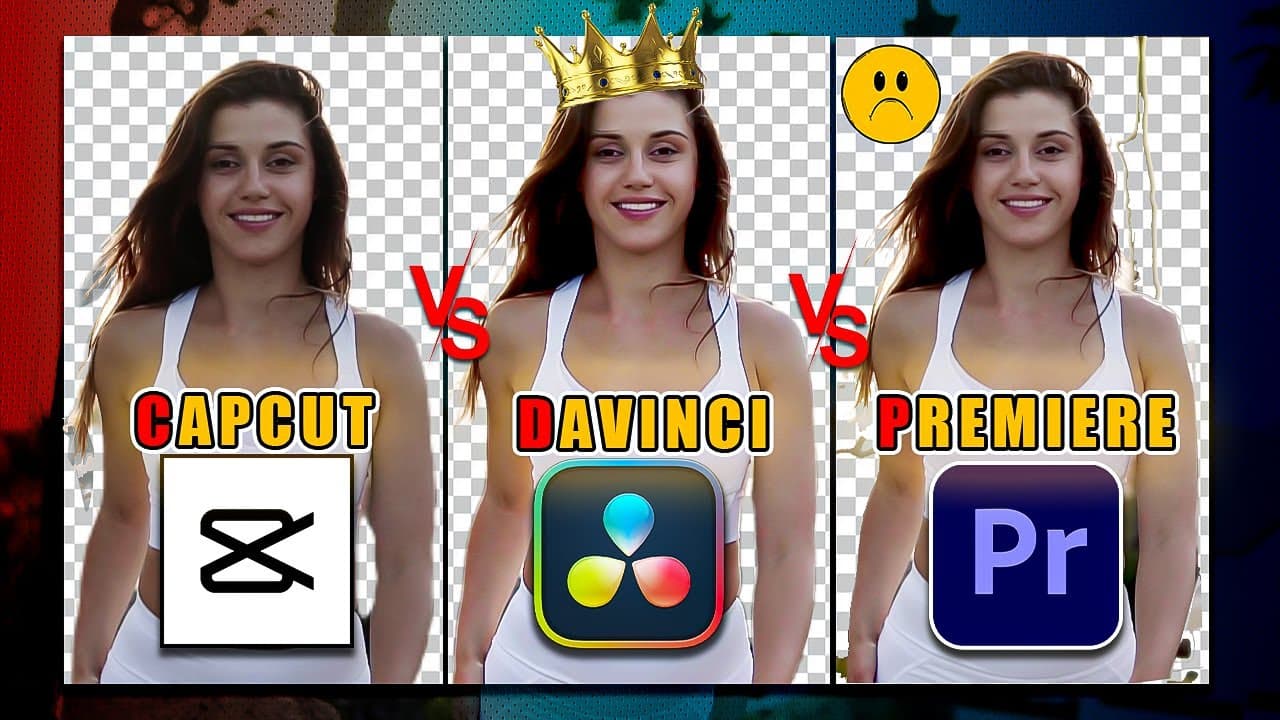
Among them, Adobe Premiere Pro, Blackmagic DaVinci Resolve, and CapCut (ByteDance) are the 3 most popular names. Each software represents a completely different design philosophy. This article will fairly analyze every technical aspect, performance, and cost equation to help you choose the right tool for your workflow, especially when paired with creative cameras like the Insta360 X4 or Sony ZV-1.
1. The Big Picture: 3 Distinct Development Philosophies
| Software | Core Positioning | Best Suited For |
|---|
| Premiere Pro | Industry standard connected to the Adobe Creative Cloud ecosystem | Agencies, multi-genre freelance editors, team projects |
| DaVinci Resolve | "All-in-one" Hollywood standard post-production studio | Colorists, Filmmakers, Creators needing high image quality |
| CapCut (PC/App) | Optimizing video production speed for social media with templates and AI | Short-form Creators, Marketers, Sellers needing daily fast content |
-
Adobe Premiere Pro: Built on a central hub model. Premiere's greatest strength lies not in standing alone, but in its seamless Dynamic Link mechanism with After Effects, Photoshop, Audition, and Illustrator.
Premiere Pro Productions(CLICK TO EXPAND)
EDITORIAL ARCHIVE // SOURCE: INTERNET ARCHIVE
-
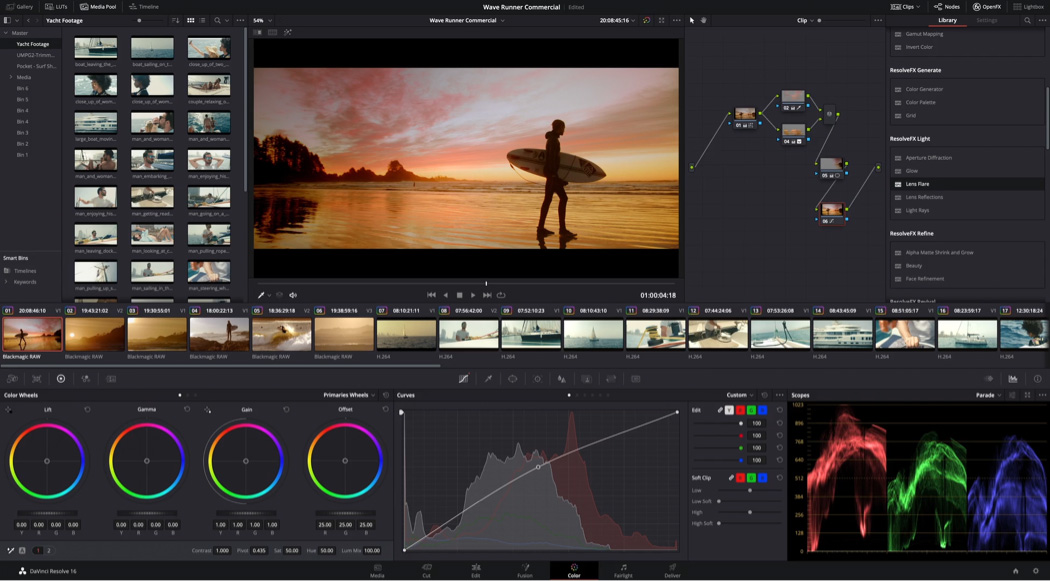
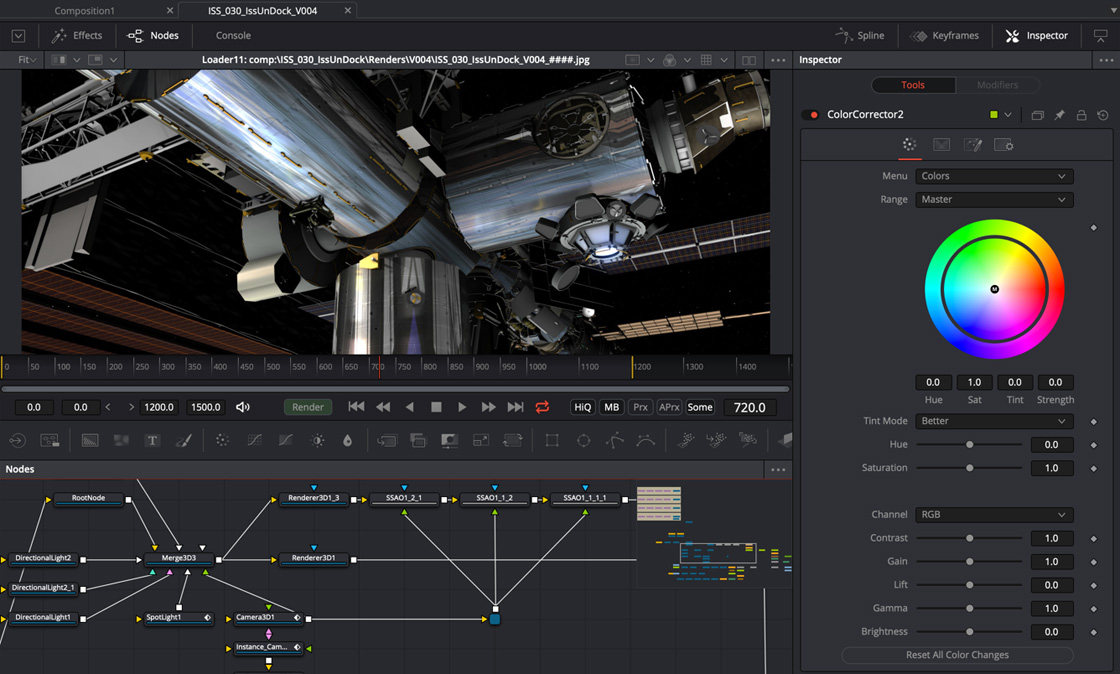
DaVinci Resolve: Originally a Hollywood-standard professional color grading software. Blackmagic Design has integrated editing (Edit/Cut), node-based VFX (Fusion), and broadcast-standard audio post-production (Fairlight) into a single software.
DaVinci Resolve Studio(CLICK TO EXPAND)
EDITORIAL ARCHIVE // SOURCE: INTERNET ARCHIVE
-
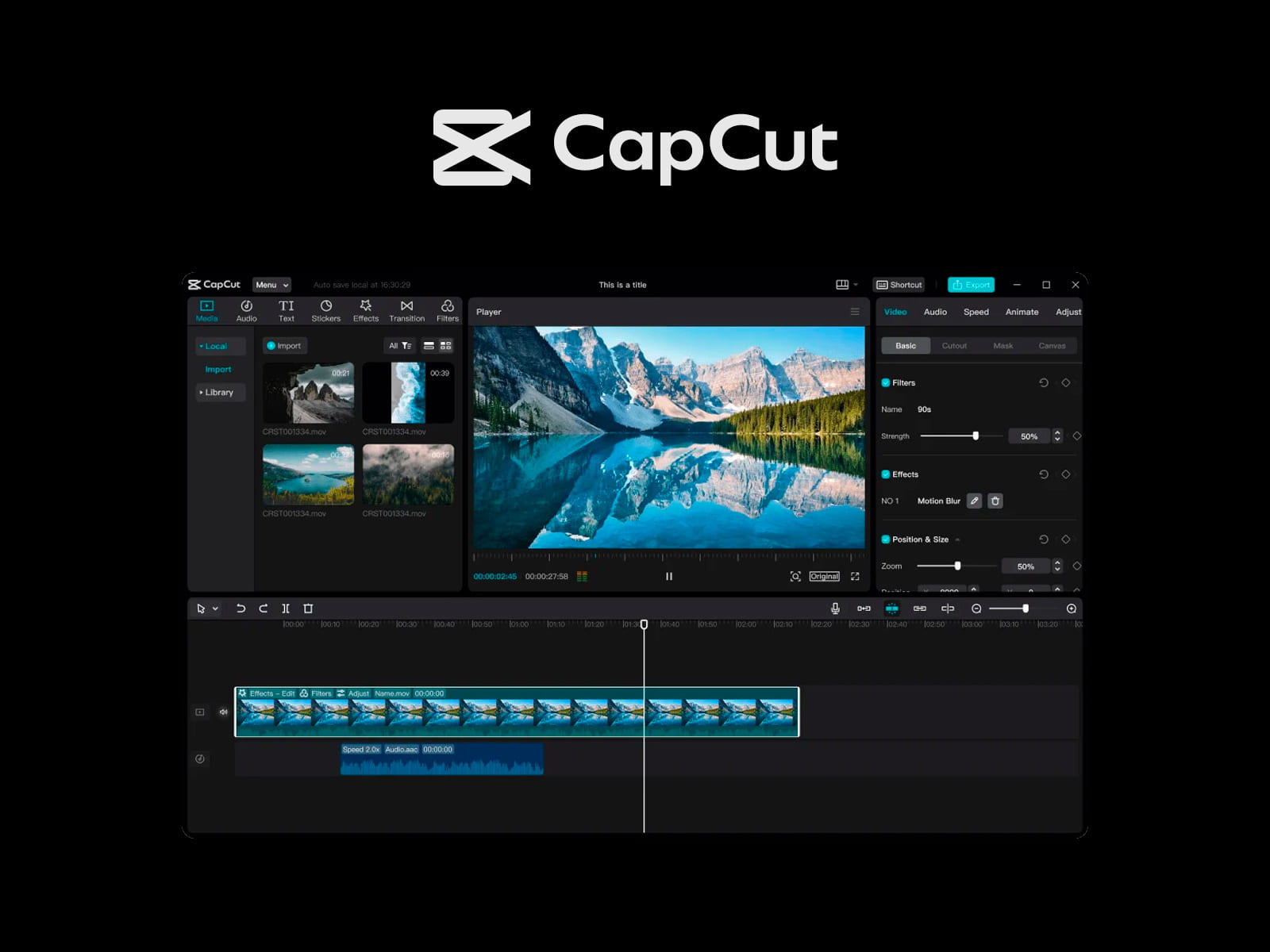
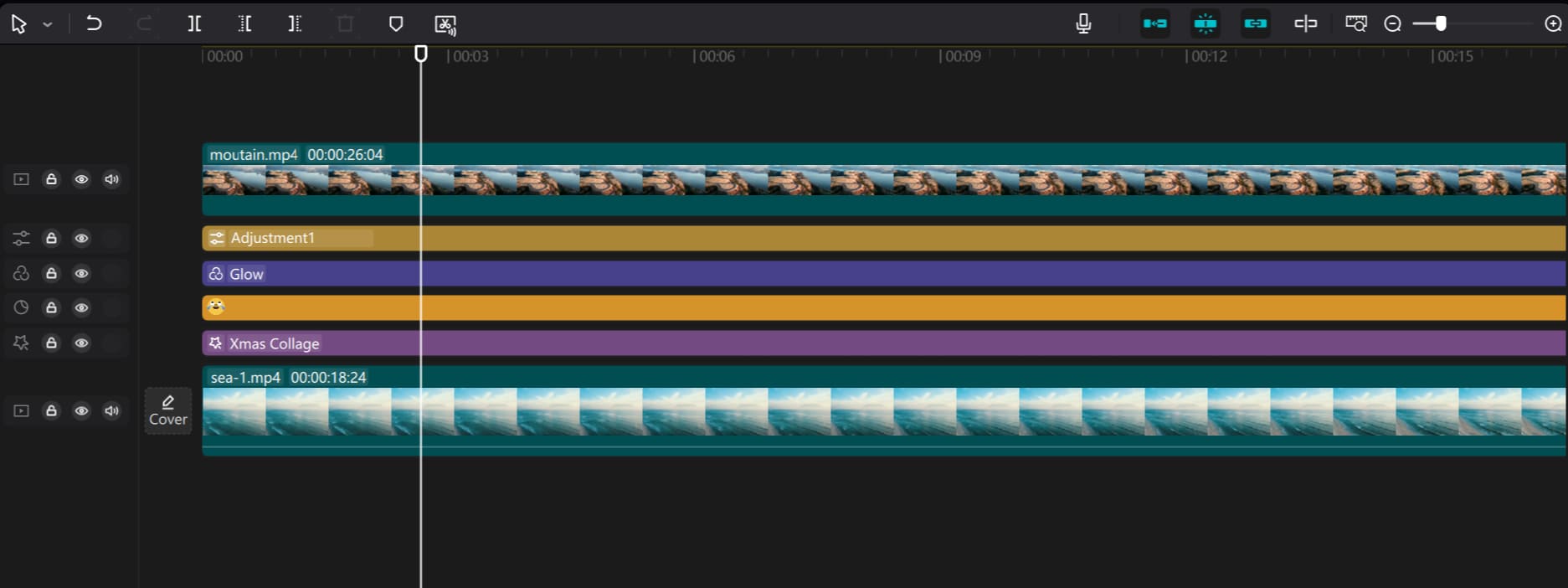
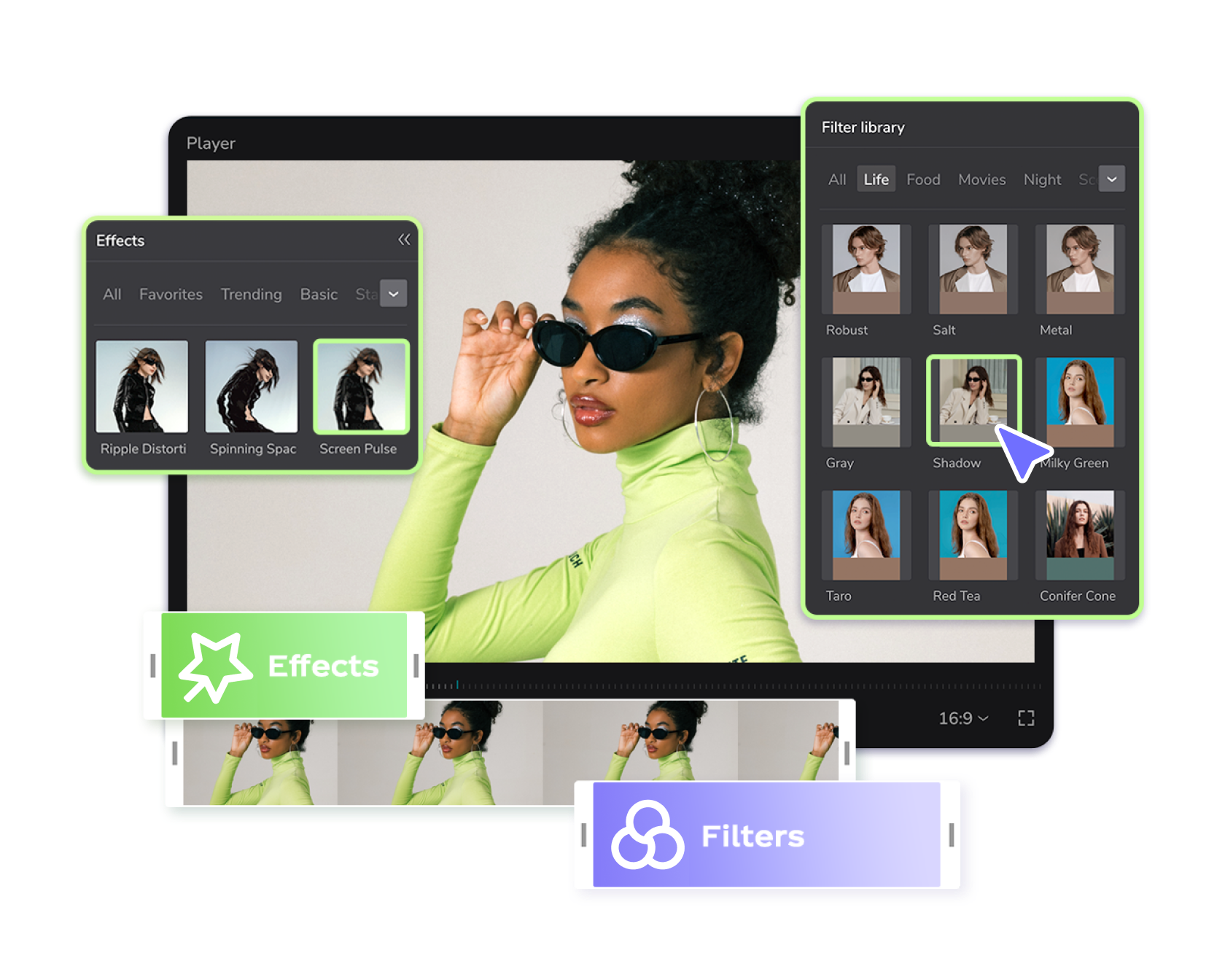
CapCut: Developed with the philosophy of removing all technical barriers. Maximum automation from subtitles, licensed music, trending transitions, aiming straight for the goal: Shortening the time from having an idea to when the video goes live.
CapCut Interface(CLICK TO EXPAND)
EDITORIAL ARCHIVE // SOURCE: INTERNET ARCHIVE
2. Direct Comparison Matrix
Here is a summary table of the main technical specifications and features among the 3 software:
| Criteria | Adobe Premiere Pro | DaVinci Resolve (Free / Studio) | CapCut (Free / Pro) |
|---|
| Timeline System | Traditional Layer-based, flexible Track management | Edit Page (Layer) + Cut Page (Dual Timeline) | Simplified Magnetic-style Timeline |
| Color Grading | Lumetri Color (good for basic & intermediate) | Node-based Color (Highest industry standard) | Basic color filters / LUTs + light HSL / Curves |
| VFX & Animation | Basic on Timeline; Advanced via After Effects | Built-in Fusion (Extremely powerful Node-based VFX) | Visual effect presets and trending Stickers |
| Audio Post-Production | Essential Sound Panel + Adobe Audition connection | Built-in Fairlight (Complete professional DAW) | Voice Changer, Noise Reduction, Auto Text-to-Speech |
| Auto Captions | High-accuracy Speech-to-Text, auto subtitle generation | Auto Subtitle Track (Studio version supports well) | Extremely fast Auto Captions, multi-language, nice animation |
| Large Project Management | Very strong (Productions, Shared Projects, Media Browser) | Very strong (Project Server / Cloud Database) | Limited (Single projects, hard to manage hundreds of GB of raw files) |
| Licensing Model | Monthly subscription (Creative Cloud) | Free version is very powerful; Studio version $295 lifetime | Free version is sufficient; Pro version monthly/yearly subscription |
3. Dissecting 5 Key Technical Aspects
3.1. Timeline Editing & File Organization (Editing Workflow)
-
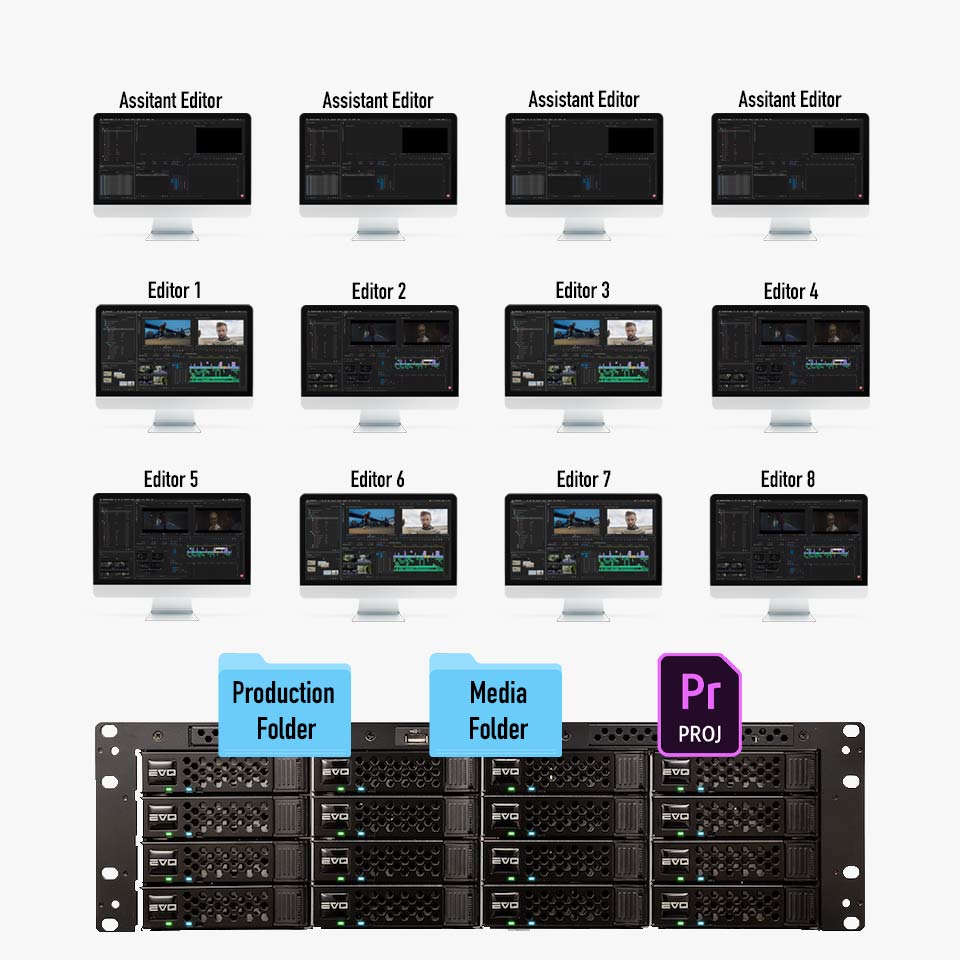
Premiere Pro: Possesses an extremely methodical file library organization capability. The Productions feature allows breaking down large projects (documentaries, series) into multiple sub-projects without fearing RAM overflow.
Premiere Timeline(CLICK TO EXPAND)
EDITORIAL ARCHIVE // SOURCE: INTERNET ARCHIVE
-
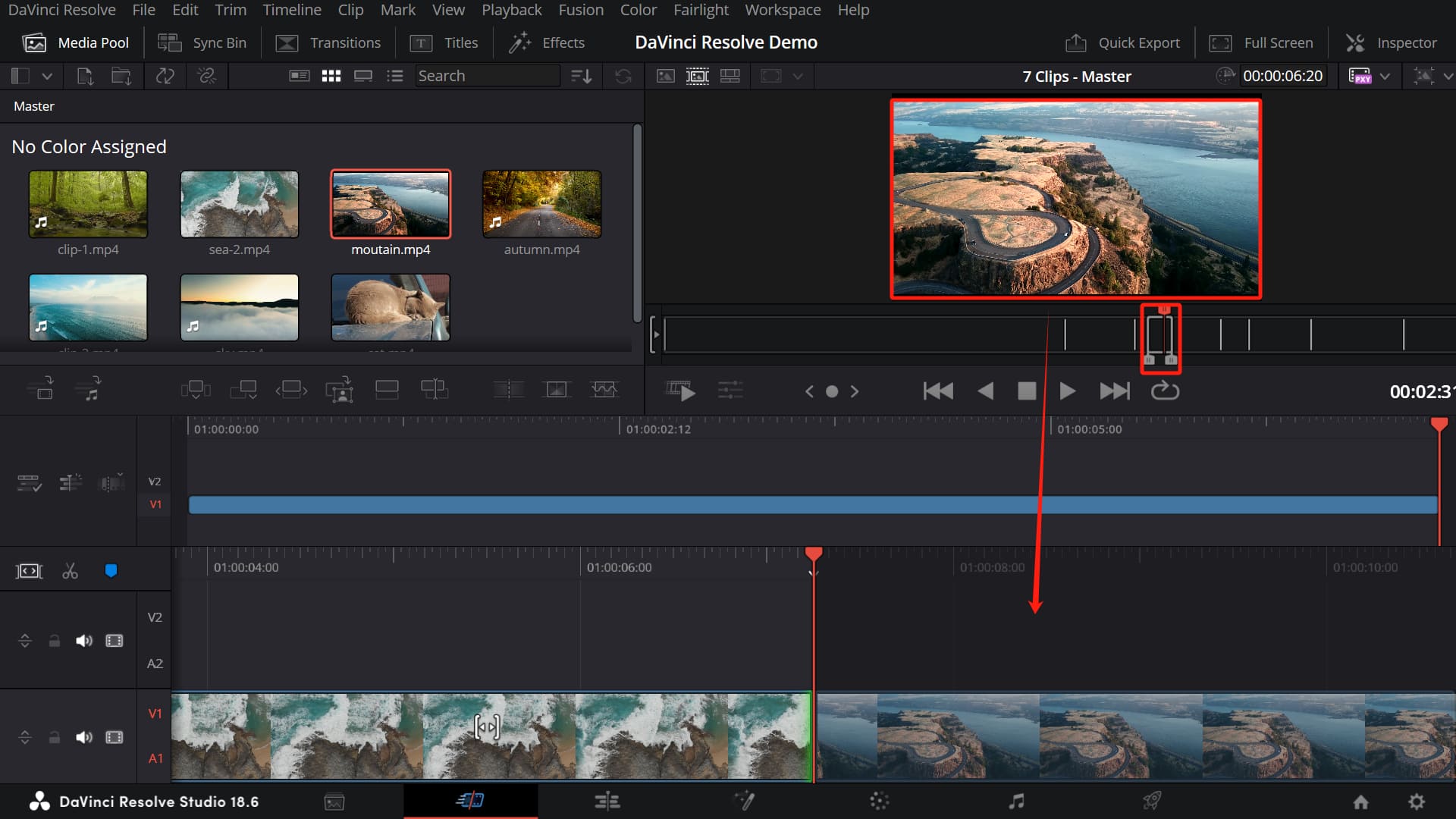
DaVinci Resolve: Equipped with 2 editing pages simultaneously: Cut Page (for culling raw footage, extremely convenient for fast editing on laptops) and Edit Page (detailed editing with full traditional NLE tools).
DaVinci Timeline(CLICK TO EXPAND)
EDITORIAL ARCHIVE // SOURCE: INTERNET ARCHIVE
-
CapCut: The timeline prioritizes intuitiveness, minimizing cumbersome operations. However, when a project has over 20–30 complex layers with multiple footage sources of different codecs, CapCut's timeline will reveal weaknesses in accuracy and nesting control.
CapCut Timeline(CLICK TO EXPAND)
EDITORIAL ARCHIVE // SOURCE: INTERNET ARCHIVE
3.2. Color Grading
-
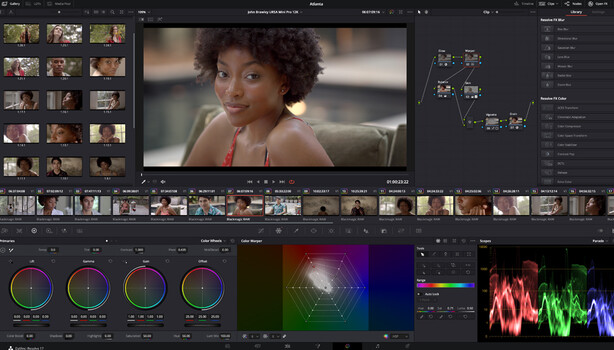
DaVinci Resolve (Absolute Champion): The Node-based color grading system allows deep intervention into every light band, color layer separation, and precise Color Space Transform (CST) from LOG/RAW cinema camera files. Superior capability in recovering highlight/shadow details.
DaVinci Color(CLICK TO EXPAND)
EDITORIAL ARCHIVE // SOURCE: INTERNET ARCHIVE
-
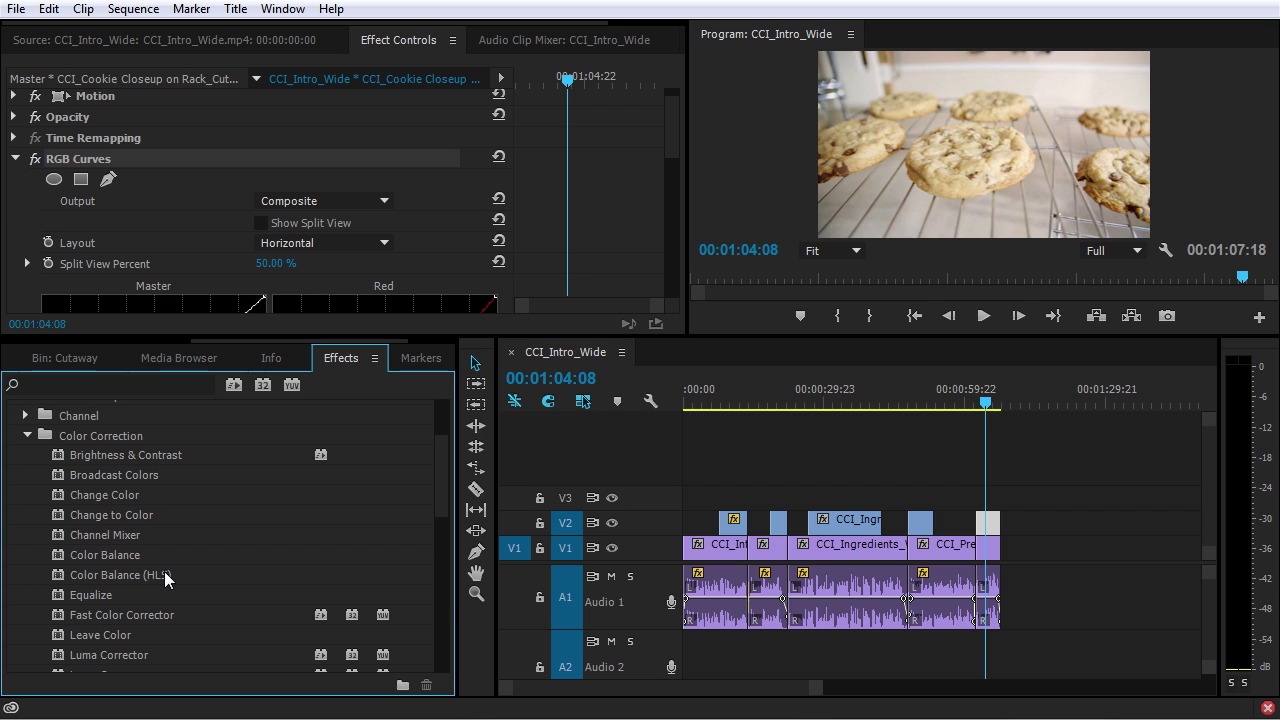
Premiere Pro: Lumetri Color is intuitive and accessible for beginners. However, when deep color grading is needed (skin isolation, complex mood creation, multi-layer LUT management), Premiere's Layer-based system is easily overloaded and harder to control compared to Resolve's Nodes.
Premiere Color(CLICK TO EXPAND)
EDITORIAL ARCHIVE // SOURCE: INTERNET ARCHIVE
-
CapCut: Suitable for applying instant color filters or basic Exposure/Contrast adjustments. Not designed to handle 10-bit Log color profiles or professional Color Management.
CapCut Color(CLICK TO EXPAND)
EDITORIAL ARCHIVE // SOURCE: INTERNET ARCHIVE
3.3. Visual Effects (VFX & Motion Graphics)
-
Premiere Pro: Leverages the After Effects ecosystem. Any complex graphic motion, deep Typography, or Compositing can be dragged and dropped directly via MoGRT templates.
Premiere VFX(CLICK TO EXPAND)
EDITORIAL ARCHIVE // SOURCE: INTERNET ARCHIVE
-
DaVinci Resolve: Features the Fusion page. Fusion uses a powerful Node interface equivalent to specialized VFX software like Nuke, catering to everything from 3D tracking and object removal to creating complex visual effects without opening a second app.
DaVinci VFX(CLICK TO EXPAND)
EDITORIAL ARCHIVE // SOURCE: INTERNET ARCHIVE
-
CapCut: Provides thousands of visual effects (Body Effects, Transitions, 3D Zoom) updated according to TikTok/Reels trends with just one click. Saves hours of manual keyframing but doesn't allow deep customization of technical parameters.
CapCut VFX(CLICK TO EXPAND)
EDITORIAL ARCHIVE // SOURCE: INTERNET ARCHIVE
VFX / COLOR PROCESSING MODEL:
- Premiere Pro:
[Clip] ---> [Effect A] ---> [Effect B] (Layer stacking)
- DaVinci Resolve:
[Source Node] ---> [Mask Node] ---> [Color Node] ---> [Output] (Multi-thread network graph)
- CapCut:
[Clip] + [Drag and drop available Effect Preset] (Instant noodles)
3.4. Audio Post-Production
- DaVinci Resolve: Equipped with a complete Digital Audio Workstation (DAW) called Fairlight. You can record, voice-over, filter frequencies with professional EQ, compress dynamic range, and master multi-channel audio directly within the project.
- Premiere Pro: The Essential Sound Panel automatically balances voice-overs and auto-ducks background music when there's a voice very quickly. For detailed editing, Premiere smoothly sends the file to Adobe Audition.
- CapCut: Its strength lies in a rich library of sound effects, integrated Voice Changer, basic AI Noise Reduction, and Text-to-Speech with diverse intonations.
3.5. AI Tools, Auto Captions & Social Media Publishing
- CapCut: Leads in the speed of generating Auto Captions in multiple languages with precise word recognition, creating trending word-by-word animations automatically.
- Premiere Pro: Text-Based Editing, Generative Extend, and Auto-Reframe strongly support a professional workflow.
- DaVinci Resolve: The DaVinci Neural Engine (Studio version) supports automatic facial recognition sorting into Smart Bins, high-quality Voice Isolation, and precise object removal (Magic Mask).
One of the deciding factors for the editing experience is the software's hardware optimization capability:
- DaVinci Resolve: Maximizes GPU power. On both Windows (Nvidia CUDA) and Mac Apple Silicon (Metal) systems, DaVinci optimizes VRAM memory extremely well, providing smooth playback speeds when processing 4K/6K H.265/ProRes footage.
- Premiere Pro: Recent versions have significantly improved Hardware Acceleration, but Premiere still consumes a lot of CPU and RAM resources. The recommended spec is 32GB – 64GB RAM to run smoothly.
- CapCut PC: Extremely well-optimized for low-to-medium spec machines. Even on office laptops without discrete graphics cards, CapCut can still preview and render 1080p/4K video smoothly thanks to a smart compression mechanism.
5. The Cost & ROI Equation After 3 Years of Use
When viewed from the perspective of financial investment for creative work:
ESTIMATED COST AFTER 3 YEARS (USD):
- DaVinci Resolve Studio:
$295 (One-time purchase, free major version updates)
- CapCut Pro:
~$360 - $540 (Calculated based on yearly subscription ~ $120-$180/year)
- Premiere Pro (Single):
~$827 ($22.99/month x 36 months)
- Adobe All Apps Bundle:
~$2,500+ ($69.99/month x 36 months)
(Note: DaVinci Resolve's free version already provides about 85% of the core features without a watermark; Premiere Pro only has a time-limited trial version).
6. Which is the Right Choice for You?
                       WHO ARE YOU & WHAT IS YOUR GOAL?
                                   │
         ┌─────────────────────────┼─────────────────────────┐
         ▼                         ▼                         ▼
 [Short-form / Solo]     [Agency / Studio Team]    [Filmmaker / Colorist]
 ─ Speed is #1           ─ Collaborate with AE     ─ Supreme color standard
 ─ Making TikToks, Reels ─ Large client projects   ─ Need all-in-one suite
 ─ Medium spec machine   ─ Standard delivery files ─ Dislikes monthly sub
         │                         │                         │
         ▼                         ▼                         ▼
   CHOOSE CAPCUT          CHOOSE PREMIERE PRO      CHOOSE DAVINCI RESOLVE
- Choose CapCut when:
- You are an independent content creator on TikTok, YouTube Shorts, Facebook Reels (especially when using devices like a cheap travel camera).
- You prioritize video packaging speed (under 1 hour/video).
- Your computer specs aren't too powerful.
- Choose Adobe Premiere Pro when:
- You work in an Agency or Production House environment.
- You frequently need to transfer files back and forth between Photoshop, Illustrator, and After Effects.
- Your project requires standard multi-format file delivery packaging.
- Choose DaVinci Resolve when:
- You are an independent filmmaker or videographer who wants to control image quality and color to the most perfect degree.
- You want stable software that maximizes computer hardware without paying a recurring monthly subscription fee.
7. Practical Workflow Advice: The Hybrid Editing Model
In the reality of professional content production, a smart editor never limits themselves to a single software. You can absolutely combine a Hybrid Workflow model:
- DaVinci Resolve + CapCut: Use DaVinci Resolve for structured editing (A-roll) and cinematic color grading. After exporting a high-quality master clip, bring it into CapCut to automatically stamp subtitles (Auto Captions), insert trending stickers/sound effects, and publish to social media.
- Premiere Pro + DaVinci Resolve: Edit the rhythm and framework on Premiere Pro, then export an XML file to DaVinci Resolve for deep Color Grading before finalizing the Master version.
FAQ — Frequently Asked Questions
1. Is the free version of DaVinci Resolve enough for professional work?
Absolutely enough for most needs from personal to semi-professional. The free version has no time limit, no watermark, and supports exporting video up to 4K UHD resolution. The paid version (Studio - $295) mainly adds advanced AI features.
2. Is it difficult to switch from Premiere Pro to DaVinci Resolve?
Not too difficult for basic cutting and editing because DaVinci allows Keyboard Mapping that is completely identical to Premiere Pro. The biggest barrier for newcomers is getting used to the Node-based working mindset in the Color and Fusion pages instead of traditional Layer management.
3. Is it okay to use CapCut for long videos (Long-form over 15 minutes)?
CapCut can handle long videos at a basic level. However, if a project contains hundreds of raw footage files from multiple camera angles (Multi-cam), manages multi-layer audio, or needs complex color synchronization, CapCut will reveal disadvantages in folder management and timeline smoothness.